
You don't need to write a single line of code to build a working AI agent today. Thanks to tools like ChatGPT's Custom GPTs, you can go from idea to a working agent that can search the web, call APIs, and take real actions in about 20 minutes. Here's exactly how.
What Makes Something an "Agent" (Not Just a Chatbot)
A regular chatbot answers questions using only what it already knows. An agent goes further: it can decide when to use a tool, call it, read the result, and act on it — searching the web, checking a calendar, hitting an API, or completing a multi-step task without you spelling out every move.
Do You Need to Code to Build One?
No. OpenAI's Custom GPTs let you build a genuine agent - complete with custom tools via "Actions" - entirely through a form-based interface. You describe what you want in plain English and configure tool access with point-and-click settings. This requires a ChatGPT Plus subscription, but no programming knowledge.
Step 1: Start a New Custom GPT
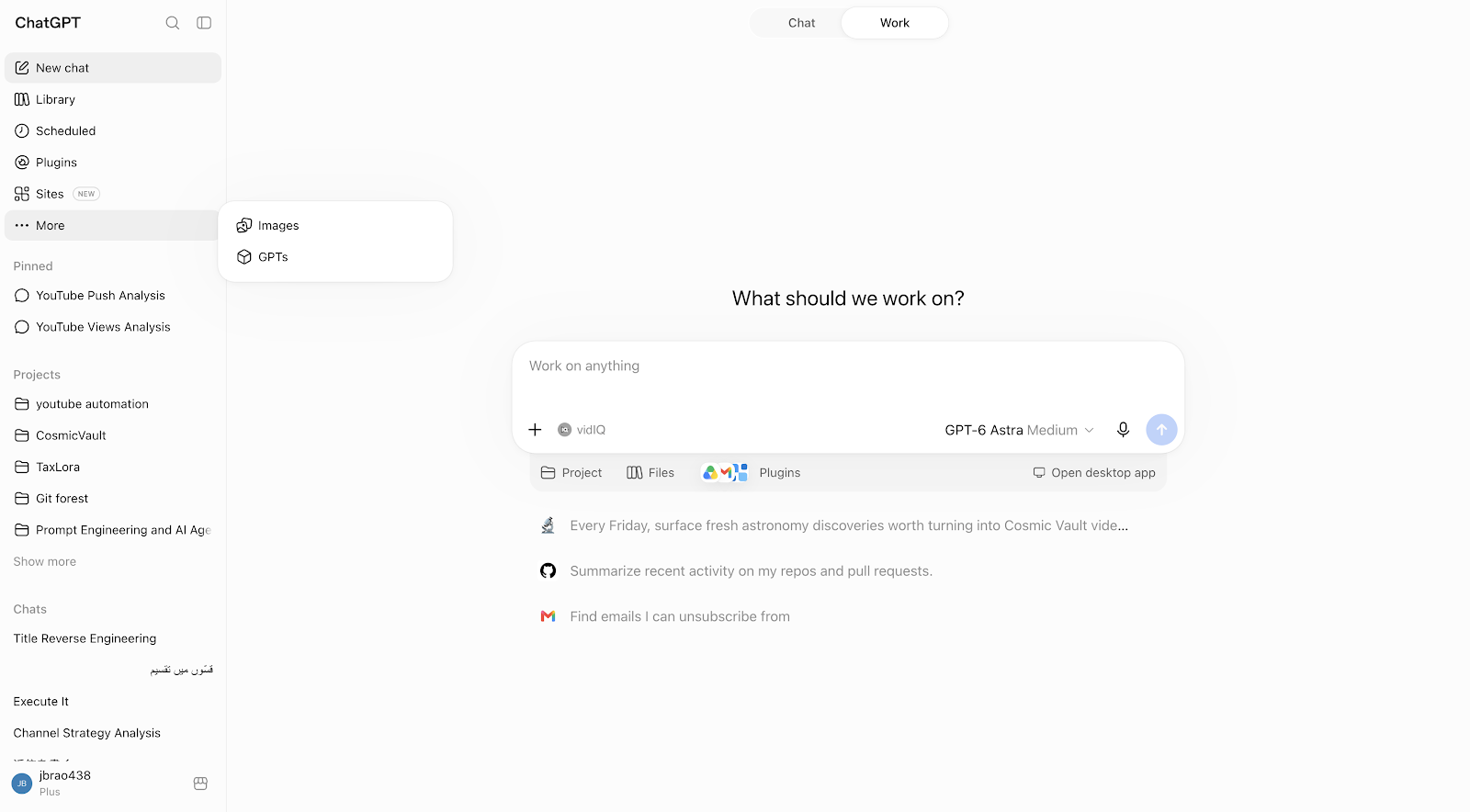
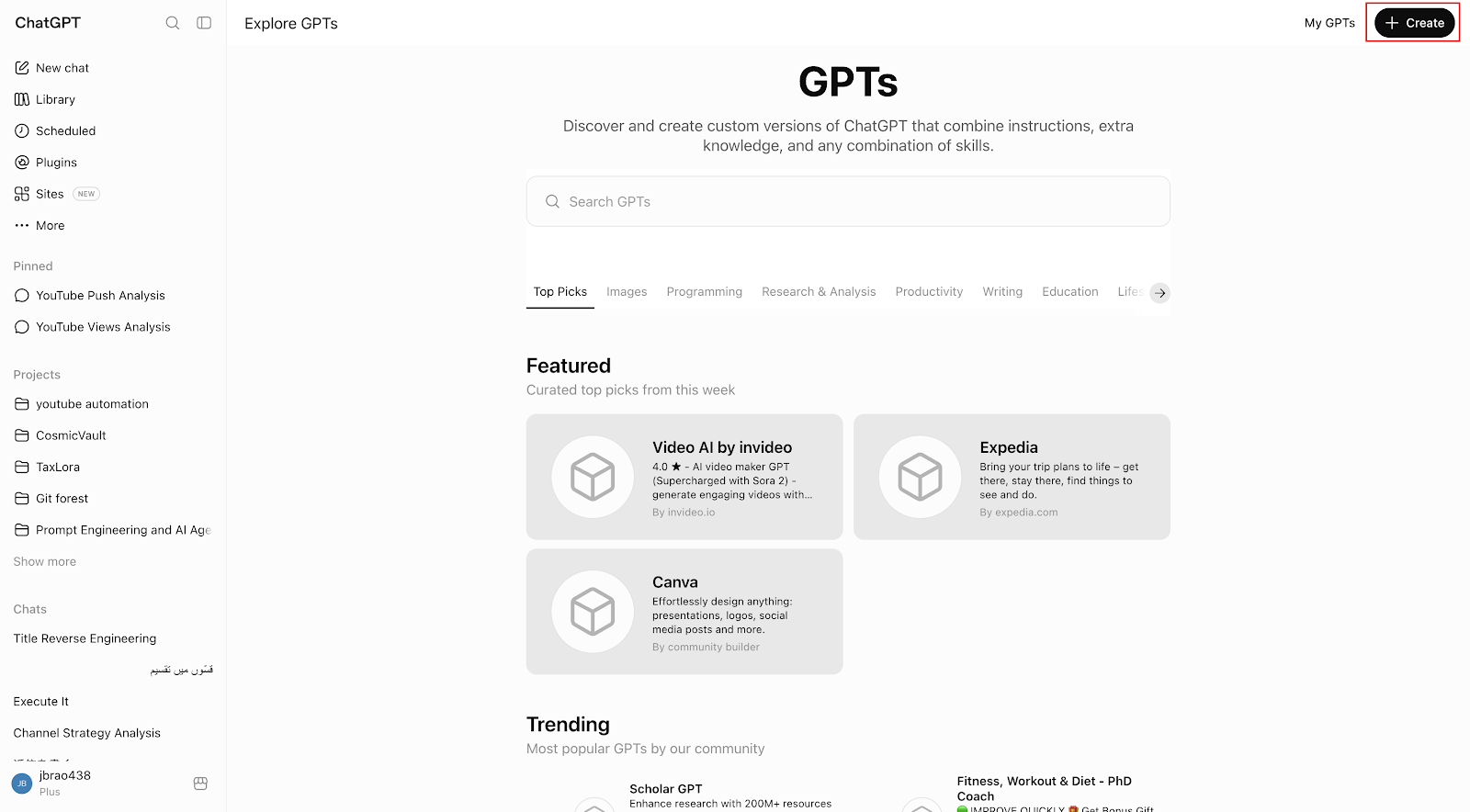
In ChatGPT, click your profile name, then My GPTs, then Create a GPT. You'll land in the GPT Builder, split into a chat-based "Create" tab and a form-based "Configure" tab. Use Configure directly - it's faster once you know what you want.
Step 2: Give It a Job, Not Just a Personality
In the Instructions field, don't just describe a personality - describe a job with clear boundaries. For example: "You are a research assistant for a small marketing team. When asked about a competitor, search the web for their latest announcements, summarize the three most important points, and always cite your sources. Never make up statistics - if you can't find a number, say so."
Specific, bounded instructions like this are what separate a useful agent from a generic chatbot.
Step 3: Turn On Tools
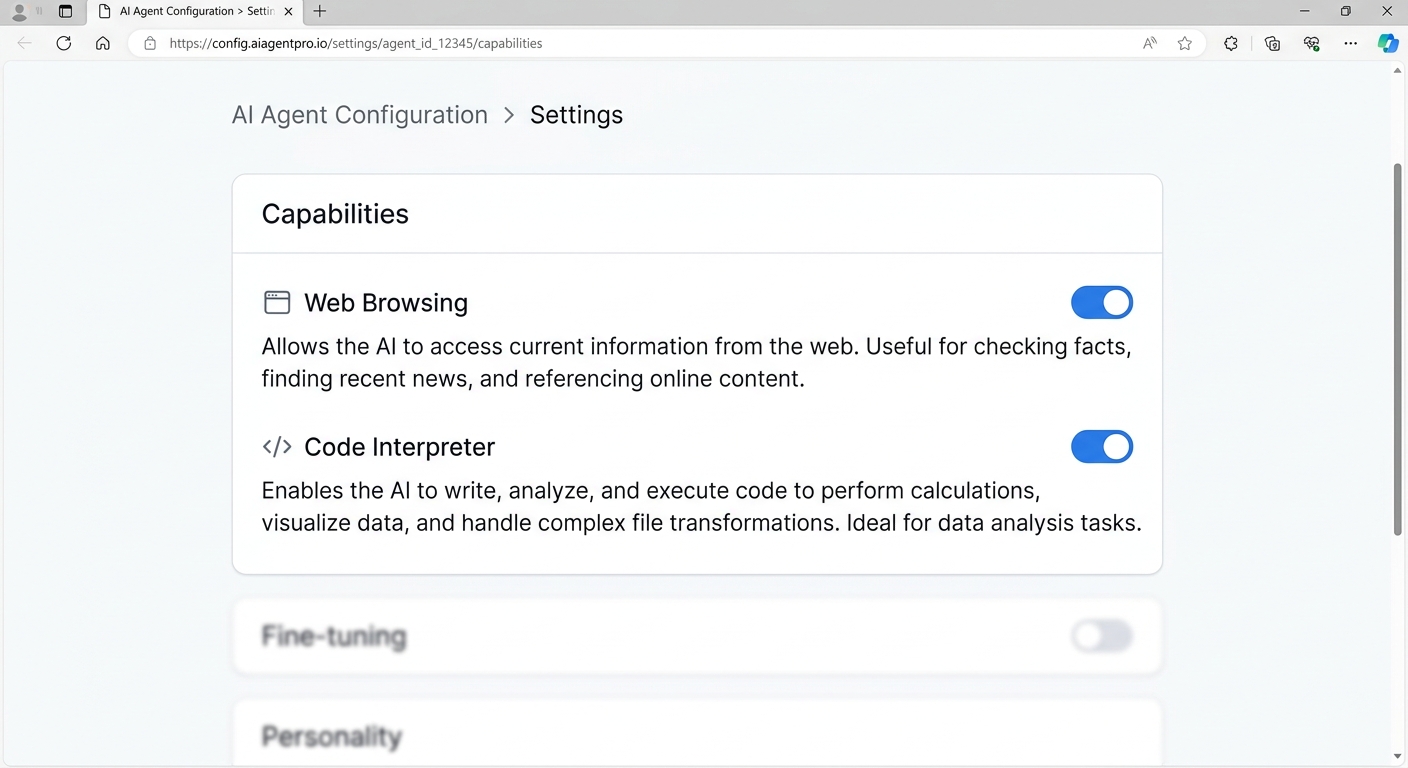
Under Capabilities, enable Web Browsing so your agent can pull current information instead of relying only on its training data. Enable Code Interpreter if you want it to analyze files or do calculations. Both are checkboxes - no setup beyond that.
Step 4: Add a Custom Action (This Is the "Agent" Part)
This is what turns a smart chatbot into a real agent: under Actions, you can connect your GPT to an external API - a weather service, your own company database, a project management tool - so it can actually do things, not just talk about them.
You'll need an API's schema (most modern APIs provide this, or you can describe the endpoint and let ChatGPT draft the schema for you). Once added, your agent can call that API mid-conversation whenever it decides it's relevant - checking real-time data, submitting a request, or pulling a live result.

Step 5: Test It Like a Skeptic
Before sharing your AI agent with anyone, test it from different angles instead of assuming it will always behave correctly. Try asking questions that are outside its intended purpose and see whether it stays focused or clearly explains that the request is outside its scope.
You should also test how it handles information it does not know. Ask questions where there is no reliable information available and check whether the agent honestly says that it does not know instead of inventing an answer. Test unusual, incomplete, or confusing requests as well.
A good AI agent should not only give useful answers — it should also understand its limitations. Testing these situations helps you find mistakes, improve its instructions, and make the agent more reliable before other people start using it.
When You Outgrow Custom GPTs
Custom GPTs are the easiest starting point, but they're built for conversational use. If you eventually want an agent that runs on a schedule, chains multiple tools together automatically, or operates outside a chat window entirely, no-code automation platforms like n8n or Zapier's AI agent builder are the natural next step - same no-code philosophy, more automation power.
The Bottom Line
You can have a working AI agent today without writing code: a Custom GPT with clear instructions, web browsing enabled, and one connected Action already qualifies. Start narrow - one clear job, one tool - and expand from there once it's reliably doing that one thing well.


